Original review PDF
Author in Info/XMP; sticky-note reviewer and note on page 1; visible FreeText comment on page 2; printed byline on page 1.
Download original review pdf PDFMetadata remover
Blivion removes supported EXIF, GPS, XMP, image metadata, and PDF metadata locally in your browser. Clean the file, verify the result, and keep a certificate of what changed.
A separate image inside photo metadata
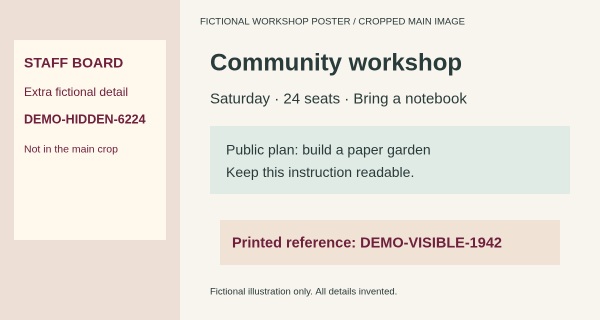
The large image is only one thing to review. This fictional JPEG deliberately stores a wider illustration in its EXIF thumbnail: the main crop shows a public poster, while the thumbnail also shows an invented staff-board reference. It demonstrates a file structure, not what a particular camera or cropping app does.
The cropped poster still has a printed reference of its own. Download the actual JPEG to inspect both its picture and metadata.
 Download the fictional cropped JPEG
These are the thumbnail bytes extracted from that JPEG, not a recreation. The separate staff board shows DEMO-HIDDEN-6224.
 Download the extracted thumbnail
This actual metadata-only download has no tested EXIF IFD1 thumbnail. Its 537,600 main-image pixels match the original, even when a mark is drawn in the editor.
 Download the thumbnail-cleaned JPEG
The actual solid export covers the selected printed-reference area and keeps the public plan and notebook instruction. It does not contain this original thumbnail.
 Download the marked PNG
The checks compare two readers’ extraction of this deliberately constructed thumbnail, actual editor downloads and every selected/unmarked pixel. Summary records retain filenames and file facts. These checks do not certify privacy or establish that every possible hidden image was found.
If you already use Exiv2, its thumbnail guidance documents exiv2 --extract t filename.jpg to save an EXIF thumbnail separately. Review copies in a separate folder so you can distinguish old extracted thumbnails from a new result. A tool returning no thumbnail is not proof that all hidden data or other preview formats are absent.
When a cleaned photo turns sideways
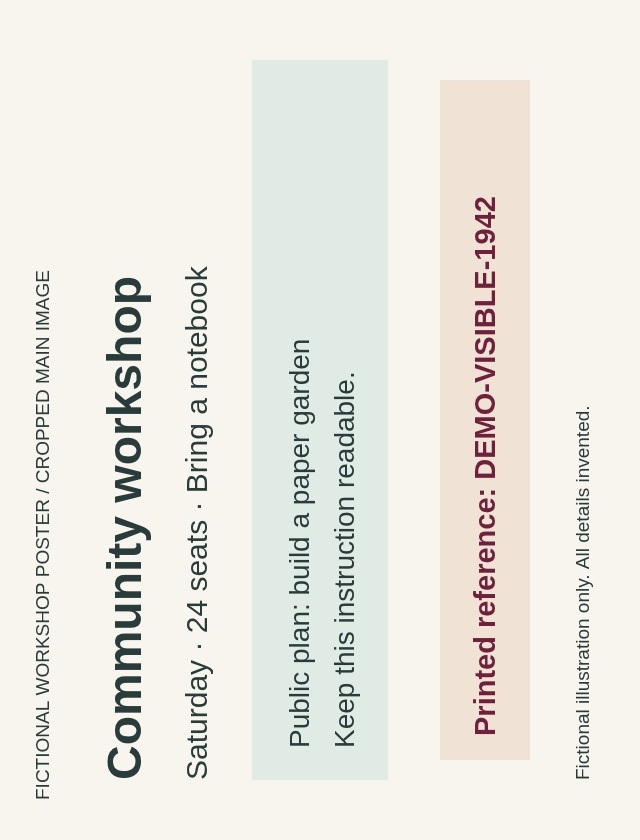
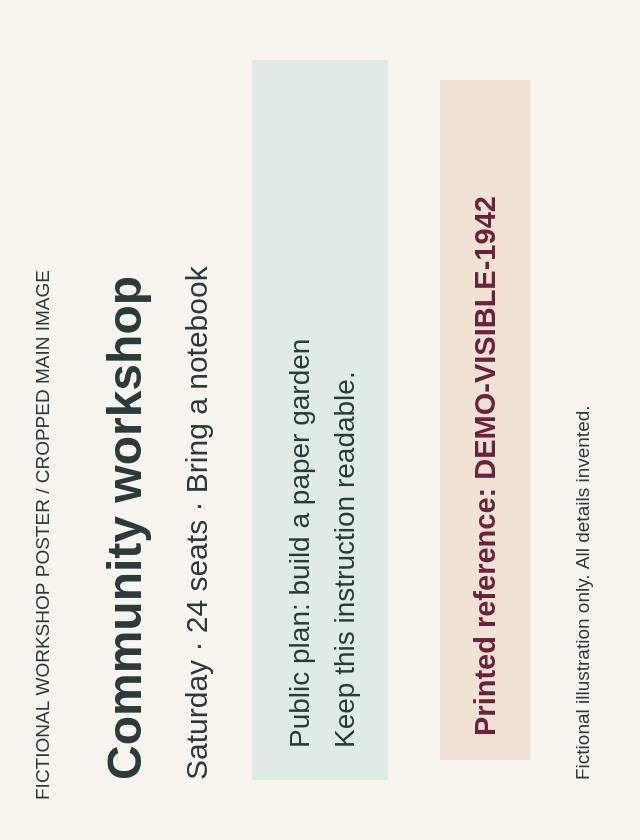
Some JPEGs rely on an EXIF Orientation tag to display upright. Removing that hint leaves their stored pixels facing another way. This invented poster stores a sideways picture with Orientation 6: the original opens upright here, while the actual metadata-only download below turns sideways. A fresh PNG can preserve the upright view without relying on that tag.
The source view is 840 × 640; the stored JPEG picture is 640 × 840. All artwork and references are fictional.
 Download the original orientation JPEG
This actual saved copy is 640 × 840. Its stored picture pixels are unchanged, but it now displays sideways. The printed reference remains visible.
 Download the sideways metadata-only JPEG
This actual 840 × 640 export keeps all 537,600 pixels of this browser’s upright source view. The visible reference is still present.
 Download the unmarked upright PNG
The actual solid export covers all 61,200 selected pixels and preserves the 476,400 pixels outside the chosen rectangle.
 Download the upright marked PNG
The checks match real editor downloads, their names, dimensions and pixels for this constructed Orientation 6 example. Comparing the sideways JPEG with the upright source view requires a declared 90-degree alignment; its stored JPEG pixels match the original directly. The PNG checks compare the upright views without that alignment.
Orientation-aware decoding is documented in MDN’s createImageBitmap reference. This lesson tests one orientation in Chromium; it does not establish every rotation, reflection, camera, viewer or color profile.
Before sharing an edited diagnostic PNG
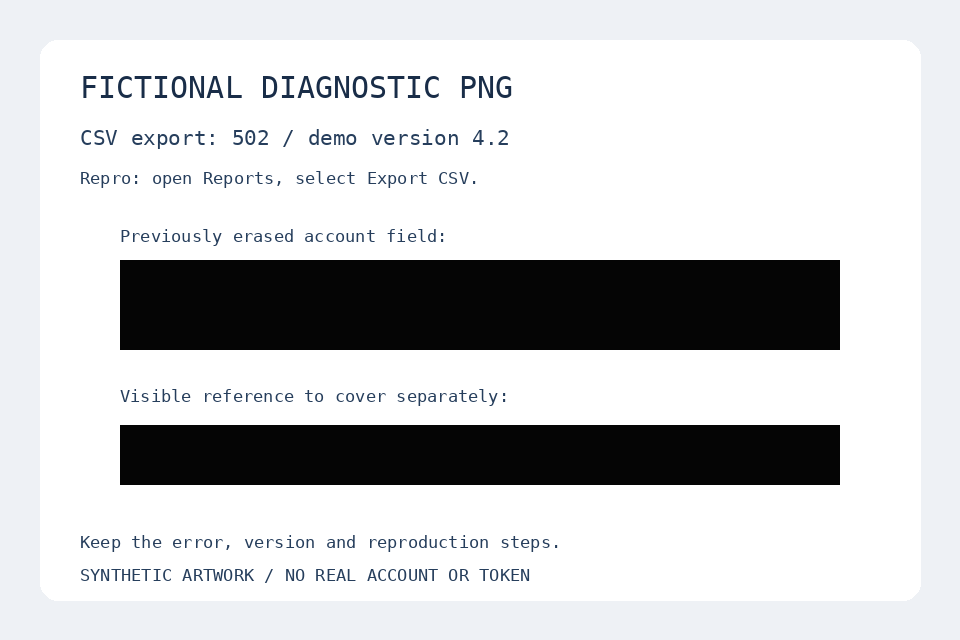
If you erased an account field to transparency, a blank-looking preview is not proof that its original color values are gone. PNG stores color and opacity separately. Removing metadata addresses a different part of the file. Compare the fictional erased field below with a deliberately opaque redaction before posting a troubleshooting image.
This 960 × 640 PNG has an invented account field under fully transparent pixels and a separate visible reference. No real screenshot or account is used.
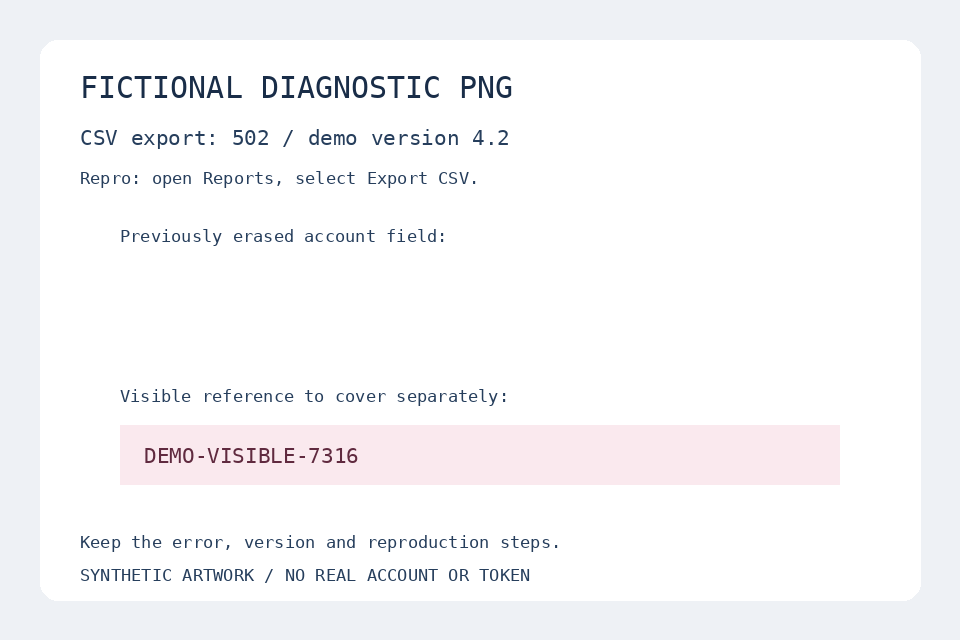 Download the original transparent PNG
This separately generated view forces every pixel opaque. It exposes DEMO-ERASED-4821 in the original data. It is an explanatory derivative, not an editor feature or an exported redaction.
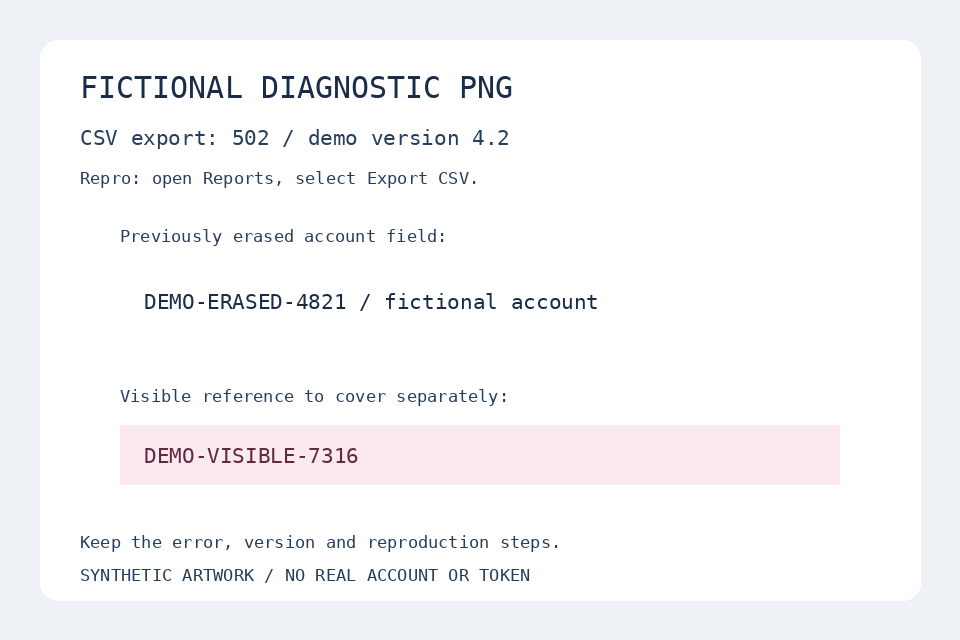 Download the original alpha-ignored diagnostic view
The visible card still looks blank in the first field. All original image samples and compressed image-data bytes remain, including 64,800 transparent pixels containing RGB. The visible reference also remains.
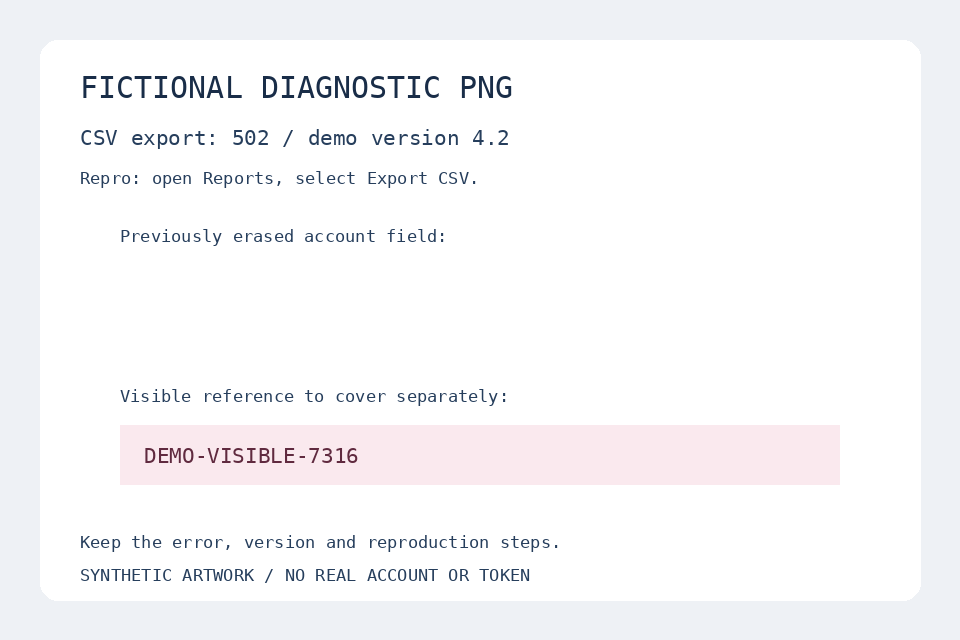 Download the metadata-only counterexample PNG
All 108,000 selected pixels are opaque solid color. The 506,400 pixels outside the two rectangles match the source, keeping the public troubleshooting details intact.
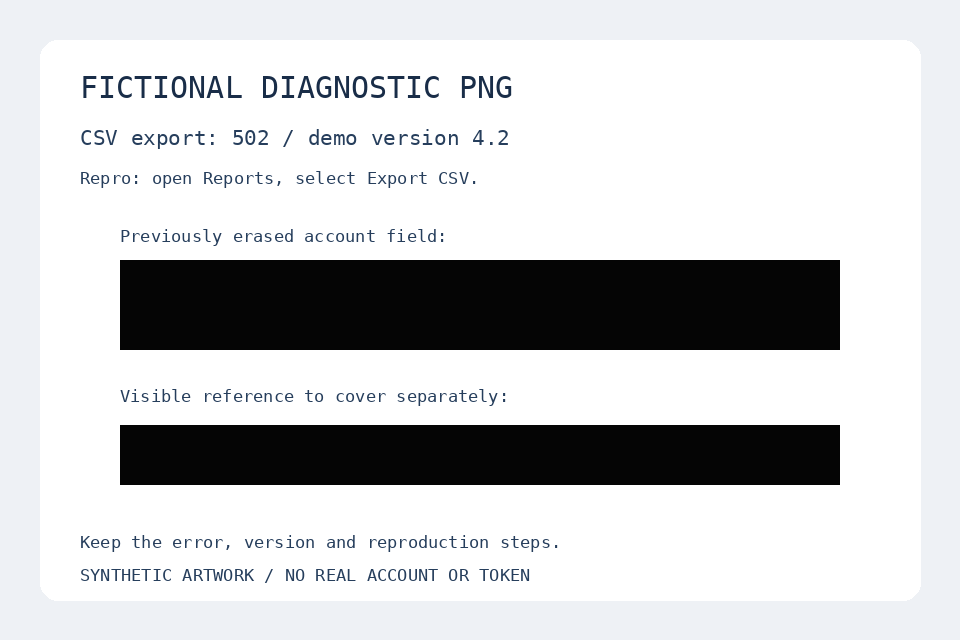 Download the solid-mark PNG
The diagnostic views are generated by reading PNG samples and making them opaque; they are not additional app exports. The checks compare actual editor downloads for this one noninterlaced, 8-bit RGBA source. They do not establish behavior for every PNG type, partially transparent edge, editing application or viewer. Blivion does not provide a hidden-RGB detector or an automatic coverage check.
The W3C PNG specification describes separate color and alpha samples. GIMP’s PNG export manual documents an option to retain color in fully transparent pixels for a single layer. Neither means that every erase operation retains data.
PDF author and comment cleanup
Before sharing a reviewed PDF, inspect document properties, comment annotations and names printed on its pages separately. This invented two-page note demonstrates what can remain after a metadata cleanup—even when a text search finds nothing.
All identifiers and comments are fictional. This example tests specific structures, not every PDF, hidden-data type or sharing requirement. The exercise fetches this site’s public sample after your choice; editing uses the normal local workflow.
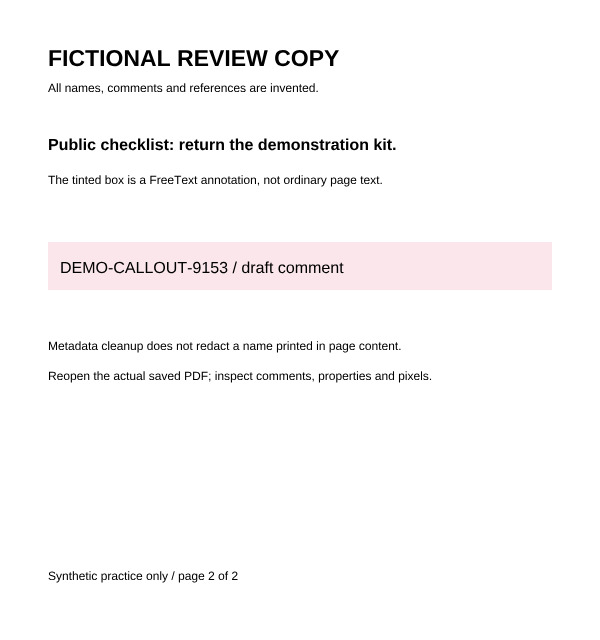
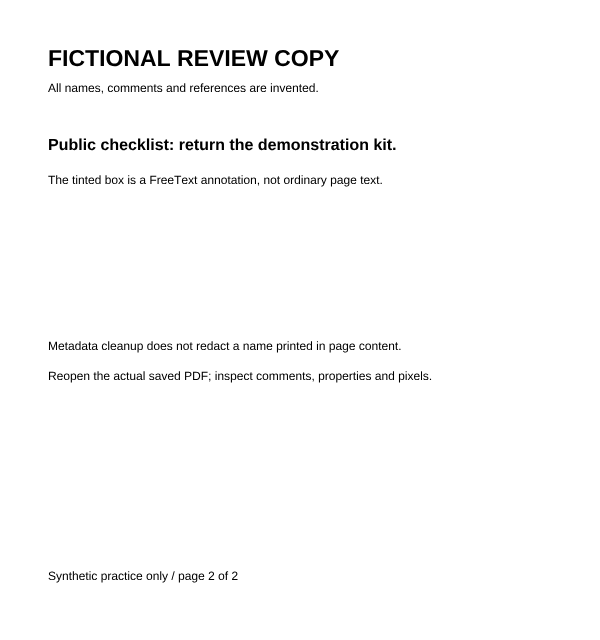
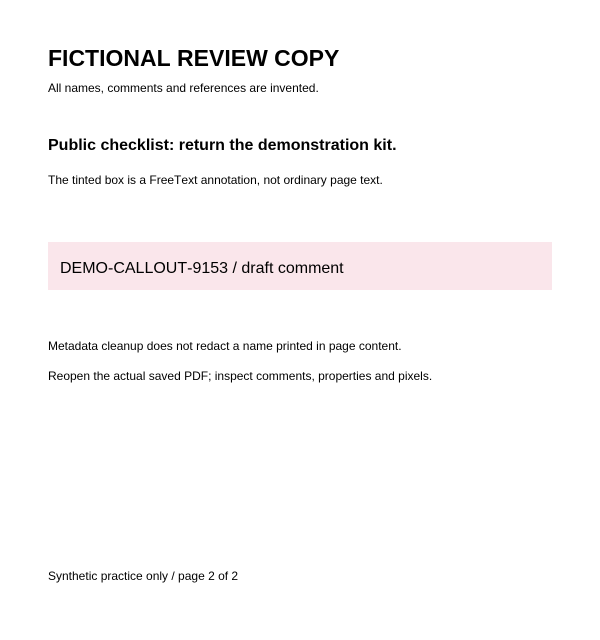
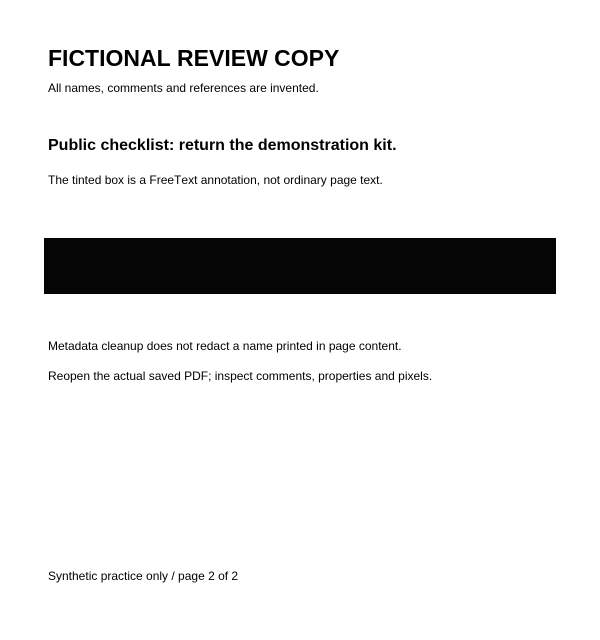
Author in Info/XMP; sticky-note reviewer and note on page 1; visible FreeText comment on page 2; printed byline on page 1.
Download original review pdf PDFGenerated counterexample, not a Blivion export. Info/XMP are cleared, but both comment annotations and the printed byline remain.
Download incomplete: properties cleared PDFNative in this compatible sample: both tested annotations and author fields removed; public text remains searchable. The printed byline is still visible and searchable.
Download actual standard metadata cleanup PDFDownload local verification recordVisual rebuild: no tested annotation objects or author fields, and no original searchable text. The printed byline AND visible comment remain in pixels. Deep metadata cleanup behaves the same in this sample.
Download actual maximum metadata cleanup PDFDownload local verification recordBoth fixed sample areas covered. Native redaction cannot prove every target in this annotation fixture, so Standard falls back to a visual rebuild. Public instructions remain visible, with no original searchable text.
Download actual standard marked export PDFDownload local verification recordBoth fixed sample areas covered in the visual rebuild. Public instructions remain visible, with no original text layer. An empty text search alone cannot show this.
Download actual maximum marked export PDFDownload local verification recordBefore adding a JSON record to a handoff
The original record links above are detailed records. In the actual Standard marked example, the PDF covers the invented byline, but its detailed native-attempt report repeats DEMO-BYLINE-7314. Compare that record with a check summary from the same saved PDF.
Records export mode, supported check states/counts and file details. Raw removed text, metadata values, fingerprints and free-form diagnostic messages are excluded. This example reports one text item in a blocked native attempt; that is not a count of all private details. The final PDF used a visual fallback.
Download check summary JSONIncludes the native-attempt report with the removed fictional byline and other source/diagnostic details. Useful for local inspection, but it can itself contain information you do not intend to share.
Download detailed diagnostic JSONAnyone can edit JSON. Neither record is a signature, independent attestation, anonymity guarantee or proof that every private detail was found. Local browser sessions can still retain originals and detailed results.
Keep the original: removing annotations can discard useful review information, and cleanup can change forms, links, accessibility structures or signatures. No signature, archive-format, accessibility or universal layout preservation is established. Review your recipient’s requirements. Browser history can retain original files; clear local sessions on shared devices. Detailed records can include original filenames and removed text—review a record before sharing it too. Records describe supported checks, not complete privacy or independent assurance.
Adobe distinguishes hidden metadata and comments from visible redaction. Use a viewer’s Comments list alongside page inspection. These instructions describe Acrobat; they are not endorsements or a claim that Blivion supports the same features. Continue with PDF redaction modes and the saved-file checklist.
The name on the attachment
Review the saved document, its download name and any accompanying record separately. A filename can repeat a name or reference that you removed from the page.
DEMO-OVERLAY-6042-redacted.pdfThe fictional ID no longer appears in this native export’s extracted page text. The inherited filename still repeats it.
Download marked PDF with inherited nameDownload its original summaryreviewed-copy.pdfThe rename control changes the outgoing label, keeping the exact same PDF bytes. The public note remains searchable; no document edit happens during naming.
Download the same PDF with chosen nameDownload its renamed summary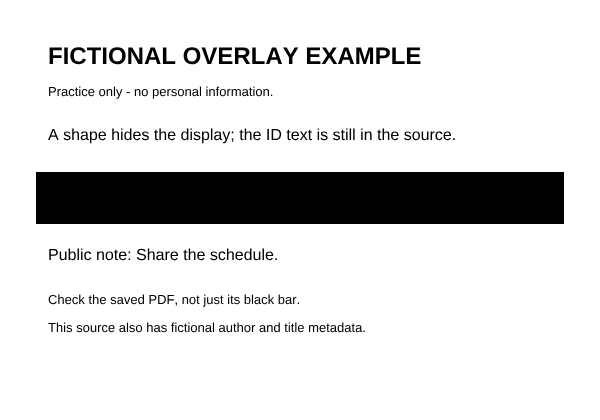
In this fixed example, all 27,456 selected pixels are opaque black and all 224,544 unmarked pixels match the original at the tested rendering. The two PDF downloads above have the same SHA-256. These checks describe this fixture, not every PDF or browser.
The renamed summary still contains the original source name. Open both JSON downloads: source.name remains DEMO-OVERLAY-6042.pdf; output.fileName changes to reviewed-copy.pdf. Renaming a JSON attachment does not remove its contents. Detailed diagnostic records can also repeat removed text or metadata values.
Download the filename example checksRenaming alone cannot remove an ID from document pixels, text, hidden fields or a JSON record, and does not establish anonymity or recipient acceptance. Adobe’s redaction instructions also include choosing a saved filename; they describe Acrobat. Browser download documentation explains that suggested names may be adjusted. Continue with record-content review and the saved-file checklist.
A document attachment list and a page file annotation can hold different data. Compare fictional attachment paths and real cleaned downloads, including a document list that looks empty while stored files remain. Review printed content separately.
EXIF / GPS walkthrough
Try a JPEG generated on your device with a fictional camera and author, GPS set to 0, 0, and an invented ID visible in the artwork. The exercise uses the regular metadata cleaner. It does not access your camera or location.
Try a fictional imageRemoving location metadata does not remove visible location clues. Addresses, landmarks, faces, and IDs in the picture need solid redaction. In the sample, use Mark sample ID and Export redacted image to compare both tasks.
File support matters. The image editor accepts JPEG, PNG, WebP, and GIF. HEIC/HEIF and RAW are not supported; convert a copy to a supported format and inspect it again. Metadata-only JPEG cleaning keeps the image data; redacted image exports create a new image in your selected format. Review orientation, color, quality, and every marked area in the download.
What it removes
Metadata removal should be specific. Blivion shows the source findings, strips supported fields, and verifies the export instead of asking you to trust a silent cleanup button.
Remove EXIF data from JPEG images before sharing.
Remove GPS location data and camera/device fields from supported photos.
Clean supported PDF metadata such as document info, XMP metadata, annotations, actions, attachments, and trailer IDs.
Batch-clean supported files when you need a cleaner ZIP handoff.
Clean profiles
Best default for everyday sharing. Removes common privacy metadata while preserving useful file behavior where verification passes.
A stricter posture for cautious sharing. It is more willing to rebuild PDFs when native preservation is not strong enough.
Strongest cleanup posture. PDFs are rebuilt visually so original PDF objects, text layers, forms, annotations, actions, attachments, and trailer IDs are not preserved.
Verification
After cleaning, Blivion reports what was stripped, what stayed because it is necessary for the file format, what was rebuilt, and what remains outside the guarantee boundary.