Cropped PDF review
Cropped-out PDF content can remain in the file.
A smaller visible page does not prove its margins were deleted. Compare a fictional recoverable margin with actual native and visual exports, then create and review a separate copy of the intended page area.
Inspect the visible crop and the larger original page.
This invented stock report shows a public count and a private desk reference. Its larger page also contains an internal text reference and an image outside the visible crop. All details are fictional. Open the PDFs at a readable zoom; these previews illustrate the page boundaries.
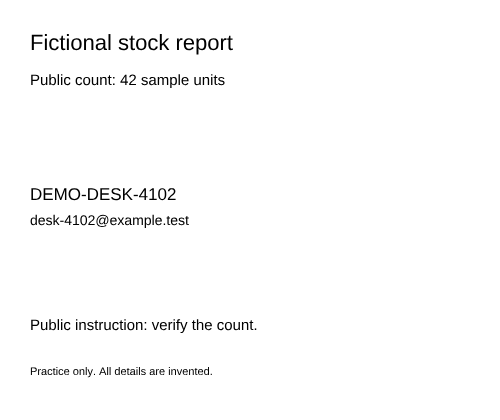
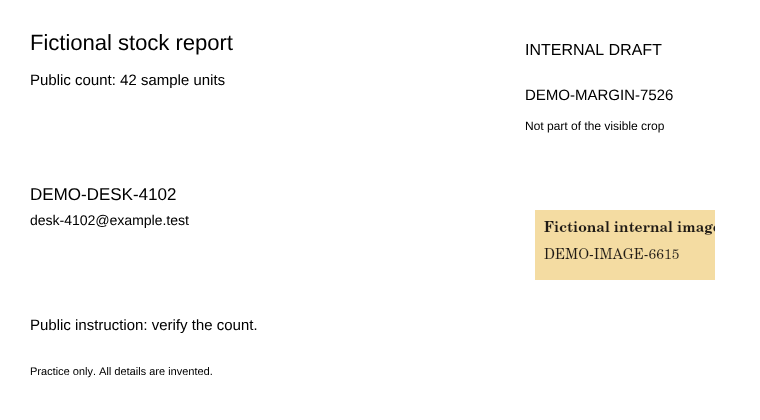
Adobe explains that cropping can hide content and resetting page bounds can restore it. Sejda’s crop interface makes the same retention distinction. These are published descriptions, not tests of those products.
A correct visible mark does not cover an unmarked hidden margin.
This actual Standard native export covers the visible desk ID/contact and keeps the public count searchable. Its original page and crop boundaries remain. Expanding the saved copy’s boundary reveals the retained margin text and image. An ordinary text check misses that margin reference in this example.
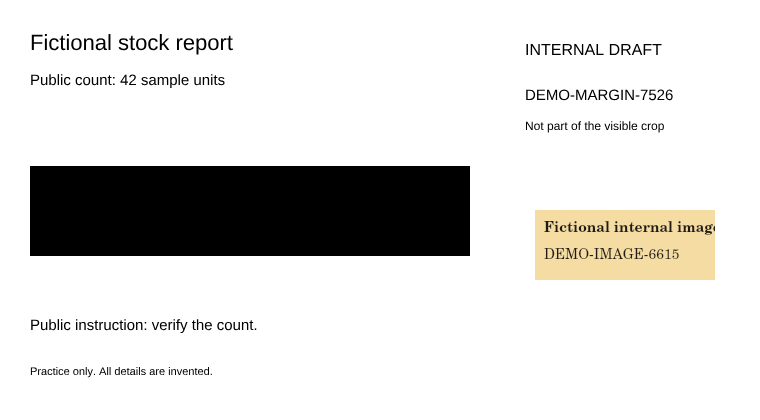
The supported metadata check concerns supported metadata structures. A clean label, cropped preview or missing text match does not inspect every hidden page object. Review the whole saved document and the intended page boundary.
Create a visual copy of the intended crop, then review the download.
Start with an already cropped PDF. Maximum Clean rebuilds the visible pages and discards their original text layer and interactive structures. Choose that tradeoff deliberately: public text stays readable as pixels but loses its original search and selection.
- Keep the original and confirm the intended area. Check that the crop includes all public content the recipient needs. Review the full original in a suitable PDF viewer before discarding a margin from a new copy.
- Open the cropped source locally and choose Maximum Clean. Use the ordinary file picker and the Clean profile control. The fictional exercise uses cropped-source.pdf; the expanded review copy is for inspection, not this import step.
- Mark any private details still visible inside the crop. For this source only, use Add centered redaction and set X 45, Y 249, Width 660, Height 135 in its 750 × 630 preview. Your own files need manual coverage checks on every page.
- Export and inspect the actual saved copy. Choose Export redacted PDF. Check the reported Flattened PDF mode, use Review PDF output, download and reopen it. Verify the private block is covered, the count remains 42 and the intended page area is complete.
- Use metadata-only cleanup deliberately. Maximum’s Clean metadata only rebuilds the visible crop but ignores drawn marks. Its example below still displays the desk ID/contact. Choose Export redacted PDF when visible details also need removal.
Compare the actual outputs and their tradeoffs.
In the visual examples, the saved page bounds match the displayed crop. The tested original margin text and image are absent from the inspected objects and decoded streams. The visible private block requires its own mark.
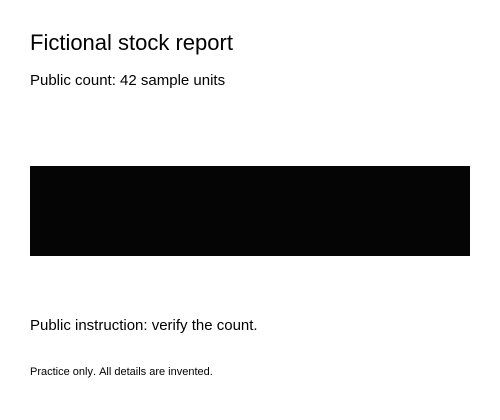
The metadata-only PDF keeps the desk reference visibly readable even though its original text layer is gone.
| Saved example | Visible desk reference | Known cropped margin | Original page text |
|---|---|---|---|
| Standard native redaction | Covered | Text/image retained outside crop | Public text retained; margin text missed by extraction |
| Maximum metadata-only | Still visible | Tested original payloads omitted | Lost; visual review required |
| Maximum redaction | Covered | Tested original payloads omitted | Lost; visual review required |
Inspect the fictional checks, geometry case and limits
In each marked output, all 158,400 selected pixels are opaque at browser 2× and all 681,600 unmarked pixels match the source. Metadata-only preserves every visible source pixel, including private details. Known original margin text encodings and the decoded source-image hash are checked separately from page-text extraction. These checks concern these fictional files; they are not OCR, automatic private-data detection or a complete forensic inspection.
Example output names were chosen with the existing download-name control, and their paired summaries match those labels. The expanded source/native review copies change the viewing boundary only. Their decoded page-content streams and retained source image match their respective inputs. Actual editor outputs and these expanded review copies are labeled separately.
Other geometry can trigger a visual fallback even with Standard. The optional shifted-origin source has the same visible artwork but a different crop origin. Tests cover both sources with all three profiles and both actions; inspect the actual mode rather than generalizing from one sample.
Source filenames, originals, local history and separately shared records can retain identifying details. Summaries describe supported local checks and do not certify privacy. Review recipient needs, especially searchable text, links, signatures and accessibility structures; preservation or acceptance is not established.
PDF-XChange documents a separate operation to remove cropped content. If native structures must be preserved, investigate a suitable explicit removal workflow and inspect its saved result; that product was not tested here. Continue with copyable text under black bars, known-reference search limits and the saved-file checklist.